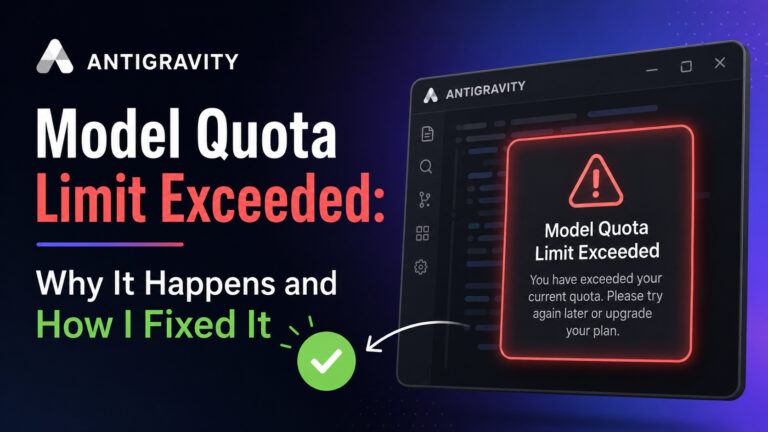
I was about four hours into debugging a payment API integration on a Tuesday afternoon when the Antigravity agent just… stopped. No crash, no error popup. The chat input froze and I sat there clicking it like an idiot for a good thirty seconds before I realized something was actually wrong.
I restarted the IDE, signed out and back in, and even checked the Antigravity status page. Honestly, I wasted a solid twenty minutes before I noticed the small countdown timer and the message: “Antigravity model quota limit exceeded.” Nothing was broken. I’d simply burned through my model allowance without tracking it. That’s the frustrating part, there’s no warning before it happens.
You know how when your tools stop working mid-session, your first instinct is to blame your setup? I went through that whole cycle. Turns out it’s almost always a usage cap, not a broken install. I put this guide together to walk you through exactly what’s going on, how to get past it, and how to rescue your context and plan files if you’re facing one of those brutal multi-day lockouts.
Quick Answer:
Antigravity model quota limit exceeded means you used up your allowance for one specific model, such as Gemini 3 Pro or Claude Sonnet, inside the Antigravity IDE. Each model has its own pool. Switch to a lighter model or wait for the quota window to refresh.
How Antigravity Charges for Model Usage?
Antigravity is an agentic coding environment where AI models plan, write, and edit code across a whole project. It runs on Google’s Gemini models and offers some Anthropic Claude models too. You can read more about how it’s positioned as a free entry point with metered model usage in this overview of Antigravity access and limits.
Getting into Antigravity is free. Using the heavier models costs money. Google meters how much you can ask each model to do, and that meter is what produces the quota error.
What Triggers the Quota Limit Error?
I’ve run into this error for a few different reasons, and they’re worth separating because the fix changes depending on what actually caused it.
- You genuinely used up the model. Long agent runs, big context windows, and heavy models like Claude Opus burn through quota fast. Four hours of focused work on a complex project can drain it without you noticing.
- A stuck agent drained it for you. If an agent gets caught in a loop, making tiny edits without ever finishing, it burns through your allowance in minutes. The Google developer forum flagged this as a top cause of hitting the weekly limit early.
- The weekly cap is empty, not the short-term one. This is the confusing case. The 5-hour timer keeps resetting, but nothing comes back. I’ll explain how that actually works below.
- A bug after a version update. Several users reported instant multi-day lockouts after the v1.20.5 update introduced the AI Credits toggle. I ran into this one myself, and it was maddening.
How Does the Antigravity Quota System Actually Work?
So here’s where it gets confusing. Based on what the developer community has tested, Antigravity runs more than one limit at the same time. Google hasn’t published exact numbers, so treat the figures below as community estimates, not official specs. A detailed breakdown lives in this analysis of the dual limit structure.
| Limit type | How it refreshes | What it controls |
|---|---|---|
| Sprint quota (short-term) | Rolling refresh roughly every 5 hours | Your short bursts of work during the day |
| Weekly baseline | Hard cap that resets once every 7 days | Your total usage for the week |
| Monthly AI Credits | Refill monthly with your Google AI plan | Overflow once your base quota runs out |
Both the short-term and weekly buckets need room. If your weekly pool is empty, the 5-hour timer can count down to zero and refill the sprint bucket. But you still can’t work. The weekly cap overrides it.
That trap is why so many developers think their quota is broken when it’s just empty at the weekly level. I thought mine was bugged for two days before I figured this out.
Is There a Daily Limit, a Weekly Limit, or Both?
There’s no daily limit in the way most people expect. The quota doesn’t reset at midnight. What feels like a daily limit is really the rolling 5-hour sprint window. Exhaust it at 2pm and you get more capacity a few hours later, as long as you still have weekly quota left.
On the free tier, those short refreshes are how you get through a day. The free tier behaviour is described in this rundown of Antigravity usage limits. The practical daily ceiling is whatever your sprint bucket allows, repeated across the day, capped by your weekly total.
The weekly limit is what causes the long lockouts. It’s a hard cap that resets once per 7-day period. Burn through it on Monday and you’re stuck until the next reset, even if you don’t touch the tool for days. One widely shared thread explains how the hybrid quota system ties the weekly cap to your base allowance.
And the pool doesn’t roll. If you used 80 percent last week and came back six days later, you still only have 20 percent waiting until the reset date.
The monthly piece is the AI Credits system tied to your Google AI plan, Pro or Ultra. When your base model quota hits zero, Antigravity can pull from your monthly credits instead of locking you out, assuming you have the feature enabled and credits remaining. Forum users tracking their Google One credit history reported that a standard coding prompt costs roughly 3 to 4 credits.
Now here’s the catch I learned the hard way. I was wrapping up a build late on a Friday, installed the v1.20.5 update without checking the changelog, and watched my quota disappear in about ten minutes. It was the AI Credits toggle. I’d never even seen that setting before, and it just drained everything. That toggle caused the same problem for a lot of other users too. If your usage is vanishing quickly, check that toggle first.
Each Model Has Its Own Quota Pool
Gemini and Claude run on separate pools. Within each family, lighter models cost far less than the heavy ones. From what the community has measured, the rough cost order looks like this:
- Claude Opus: the most expensive by a wide margin, reported to burn around 8x more than Sonnet.
- Claude Sonnet: moderate usage. Good enough for most tasks honestly.
- Gemini 3 Pro: solid for most real work.
- Gemini 3 Flash (or the Low setting): the cheapest option. I use it for everyday tasks and save the heavier models for complex refactors. It handles way more than you’d expect.
When Claude locks up, Gemini Flash is often your escape hatch. The reverse works too.
Why There Is No Real “Antigravity Limit Bypass”
Look, I get it. When you’re mid-project and the tool stops cold, your first instinct is to search for an Antigravity limit bypass. I did the same thing. But there’s no switch that removes the cap. Methods that try to trick the system, like fake accounts, automated request spamming, and unverified third-party scripts, violate Google’s terms. They can get your access pulled entirely.
What actually works isn’t a bypass. It’s using the quota smarter: switch to a cheaper model, stop runaway agents, spread work across the Gemini and Claude pools, and upgrade your plan if you truly need more capacity.
How to Recover Your Code During a Lockout?

Most guides skip this part, and that’s a mistake. It matters the most when you’re blocked for days and your workflow just stops mid-project.
Antigravity keeps its working memory locally on your machine: the context, your plan, and the full task list. This is completely separate from the cloud quota. The chat window may be frozen, but those files are still sitting on your disk. A developer write-up titled how to extract your context when the quota hits walks through the same idea.
Here’s how I pull my work out when the timer says I’ve got days to wait:
- Open Antigravity’s local data folder. The app saves its agent memory in a “brain” folder inside its application data directory. On macOS, look under
~/Library/Application Support/Antigravity/. On Windows, check%APPDATA%\Antigravity. On Linux, try the~/.configequivalent. The exact location shifts between versions, so search for a folder named “brain” if the path looks different on your setup. - Find the context and plan files. Inside the conversation folder you’ll see markdown files holding the context and the plan the agent was working from. They’re plain text. Any editor opens them.
- Move the context into another tool. Copy that context and plan into a different editor such as Cursor or VS Code with another AI assistant. You can keep finishing the project while the lockout timer counts down. When your quota comes back, you’ve lost no ground. If you need another option, see our guide to other AI coding IDEs while you wait.
One caution: some users on Windows reported the brain folder showing up mostly empty due to a separate bug. If your files are thinner than expected, lean on the model switching and fallback steps below instead.
Step-by-Step Fixes for the Quota Limit Error
Alright, so here’s the order I go through when I hit the quota wall. I’ve done this enough times now that it’s pretty much muscle memory:
1. Switch to a lighter model. Move daily work to Gemini 3 Flash or the Low setting and keep the heavy models for genuinely hard problems. HowToGeek makes the same point in their guide to avoiding rate limits.
2. Switch model families. If a Gemini model is exhausted, try a Claude model. They draw from different pools.
3. Stop any stuck agent immediately. If an agent is looping and editing without progress, kill it. It’s burning through your allowance with nothing to show for it.
4. Turn off the AI Credits toggle. Open Settings, then Models, and disable AI Credits if you see rapid depletion. Remember that AI Credits toggle I mentioned in the causes section? This is the single most reported fix on the developer forum, and it’s the one that fixed my Friday night disaster.
5. Just restart Antigravity. Seriously. A simple reboot of the app has forced a fresh quota check after a refresh window passed for some users. It’s dumb, but it works sometimes.
6. Confirm you’re on the right account. Quota is tied to your account. A session-level glitch can make it look exhausted when it isn’t. Sign out and back in.
7. Check your Google account verification status. Forum reports point to unverified accounts and age verification problems causing the quota timer to freeze. Some lockouts trace back to extra OAuth permissions granted to Gemini extensions. You can strip those permissions in your Google account security settings.
8. Install a quota tracker. Open the VS Code Extensions view and search “Antigravity Quota” to find real-time usage monitors. They show exactly what’s eating your allowance, including background indexing you can’t see in the main window.
9. Consider rolling back the version. Some users downgraded to v1.19.6, before the AI Credits change, and disabled auto-updates for more predictable behaviour. Treat this as a temporary workaround, not a long-term plan.
A Few Things I Wish I’d Known Earlier
While I’m on the topic, there are a handful of things I picked up over the past couple of months that don’t really fit into any single section above but are worth mentioning.
First, background indexing eats quota silently. I didn’t realize this until I installed a quota tracker and saw requests I never made. Antigravity indexes your project files in the background, and on larger codebases, that alone can chew through a noticeable chunk. There’s no toggle for it yet, from what I can tell.
Second, I tried opening a second Antigravity window on a different project thinking it might use a separate quota pool. It doesn’t. Same account, same pool. I burned through about forty minutes of quota on that experiment before I caught on.
And third, the countdown timer isn’t always accurate. I’ve seen it say “refreshes in 2 hours” and then nothing changed for another three. The community consensus on the developer forum is that the timer shows an estimate, not a guarantee. Don’t plan your day around it.
Habits That Keep the Quota From Running Out
Getting past the error once is the easy part. Not running into it again takes a few changes in how you actually work day to day.
- Default to the cheapest model that can do the job. I reach for Gemini Flash first and only escalate to Pro or Claude when the task clearly needs it.
- Keep your context tight. Pin only the files the agent needs. Large context windows cost more per request, and most of the time the agent doesn’t even need half the files you’ve got open.
- Break big tasks into smaller prompts. One giant open-ended instruction will spiral. Smaller, clear steps are cheaper and easier to control.
- Watch your agents. I left one running during lunch once and came back to a dead quota and a half-finished function. Check in, and stop it the moment it stalls.
- Track your usage weekly, not just daily. Remember that dual limit structure from earlier in this guide? The weekly cap is the real ceiling. Pace yourself across the seven days instead of sprinting on day one.
- Match the plan to your workload. If you code in Antigravity for hours every day, the Pro tier may not be enough. I tried to make it work for about three weeks before I admitted I needed Ultra. The Ultra tier is built for high-volume access to premium models.
Did Google Change the Limits Recently?
Yes, and the story is kind of wild. After heavy backlash in 2026 over tightened caps, Google responded fast. According to Android Authority, a Google DeepMind lead announced that the team tripled Gemini rate limits twice across paid Antigravity tiers, resetting everyone’s weekly quota. That works out to roughly a 9x bump compared to the post-cut state.
Those increases applied inside Antigravity specifically, and a lot of users still felt the caps were lower than before the original cut. If your limits feel different from a guide written a few months ago, that’s probably why. I update this page when the situation shifts.
Free, Pro, and Ultra: What Each Tier Gets You
The free tier works fine for trying Antigravity and light use, with the 5-hour rolling refresh. But expect to hit limits fast if you lean on the heavier models. I burned through a free tier quota in about two hours on my first real project.
Pro is aimed at practical builders. Generous Gemini Flash allowance, a baseline for premium models. Strong for everyday coding if you manage your model selection carefully.
Ultra is for developers running long sessions daily. Honestly, if you’re coding in Antigravity more than a few hours a day, it’s worth the upgrade. Why keep fighting the caps when the tool is clearly part of your daily workflow?
Frequently Asked Questions
Why does my quota not reset after 5 hours?
The 5-hour timer only refills your short-term sprint bucket. If your weekly baseline is empty, the weekly cap overrides the timer and keeps you locked until the next weekly reset.
Does hitting the limit on one model block all models?
No. Gemini and Claude use separate pools. If one is exhausted, you can switch to the other. Some users reported a bug where exhausting one model locked the rest, but that points to a glitch rather than normal behaviour.
Is there a real Antigravity limit bypass?
No legitimate one. Anything that tries to game the cap risks your account. The realistic path is smarter model choice, stopping wasteful agents, and upgrading if you need more headroom.
How do I check how much quota I have left?
Antigravity shows a countdown when you’re limited. Community-built extensions give a clearer dashboard of your real consumption, including background activity you’d otherwise miss.
Can I recover my work during a 7-day lockout?
Yes. Your agent’s context and plan are saved locally in Antigravity’s “brain” folder, separate from the cloud quota. You can copy those files into another editor like Cursor or VS Code and keep working while the lockout timer runs down.
Did This Fix Your Antigravity Quota Limit?
The Antigravity model quota limit exceeded message is almost always a usage cap, not a broken install. Once you understand the split between the short-term refresh, the weekly hard cap, and the monthly credits, the lockouts stop feeling random.
Pick lighter models for routine work. Keep an eye on your agents. Pace yourself across the week. That alone will keep you building instead of staring at a countdown.
Thanks to the folks in the Google Developer forum who tracked down the v1.20.5 toggle bug. Thread linked above. If Google shifts the limits again, I’ll update this guide.


He is a computer engineer by day and a gamer by night. He has played many different games, like retro games like Contra, classic Mario, to AAA games. He likes to share his passion for gaming through his guides.